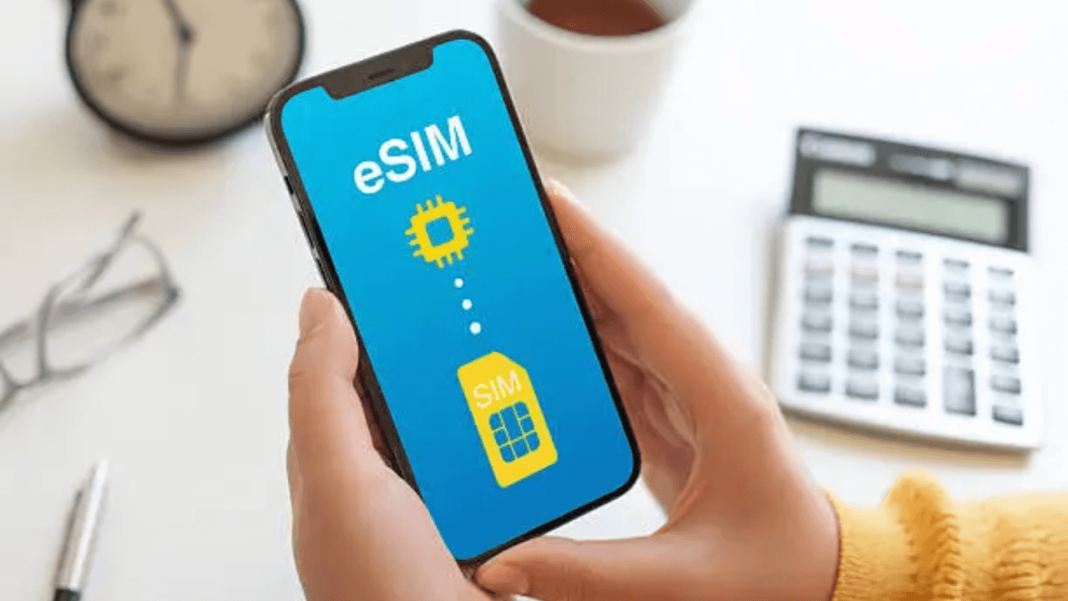

eSIM in India keeps getting noticed as more users shift to digital SIM profiles and skip the plastic chip, placing it within the Latest News in India around mobile connectivity trends. The process stays simple on paper: confirm device support, request eSIM with the telecom operator, then activate on the phone. Still, small steps matter, and one missed detail can pause service for hours. That part annoys people, honestly.
What Is an eSIM and How It Works in India
An eSIM is a built-in SIM module inside the phone. It stores the operator profile digitally, so the number runs without a removable card. The operator issues an eSIM profile, usually through a QR code or an app-based setup, and the phone downloads it on the device network settings.
In India, the working idea stays the same across operators: verify the mobile number, verify email, then load the profile. It sounds neat, yet the last step still trips users sometimes. That’s how it looks anyway.
Devices That Support eSIM in India
Most newer premium phones support eSIM. Mid-range support exists too, but it varies by model and region variant. A quick check inside settings usually confirms it.
Common eSIM-ready categories in India:
- iPhone XR series onward, including recent models
- Samsung Galaxy S, Z Fold, Z Flip ranges (select models)
- Google Pixel supported models
- Select Motorola and other brands (model-specific)
If “Add eSIM” or “SIM Manager > Add eSIM” appears in settings, support is likely present. Not always, but often.
Indian Telecom Operators Offering eSIM Services
Airtel, Jio, and Vi offer eSIM activation for most eSIM phones. BSNL support exists in some circles, yet the method can lean offline in many places. People still ask for a simple one-click switch, and that request feels fair.
Operator support summary:
- Airtel: app + SMS-based request routes
- Jio: app-driven request and verification
- Vi: app/SMS request with confirmation flow
- BSNL: availability depends on circle, offline help seen more often
How to Convert a Physical SIM to eSIM in India
The conversion usually follows the same order:
- Keep phone connected to Wi-Fi, or stable mobile data
- Keep email ID ready, active, and accessible
- Note the device EID (often visible in phone settings)
- Raise the eSIM request using operator method
- Confirm OTP and final consent steps
- Scan QR or install the profile inside settings
During activation, the physical SIM may stop working for a short window. The phone may show “No Service” briefly, and that can look scary. It settles, usually.
Airtel Physical SIM to eSIM Conversion Steps
Airtel eSIM conversion is commonly triggered through an SMS request or the Airtel Thanks app, depending on device and account.
Typical Airtel flow:
- Send the eSIM request as per Airtel’s prescribed format (operator-led steps)
- Confirm consent message
- Receive QR code or activation details on the registered email
- Add eSIM in phone settings and scan the QR
- Wait for network signal to return, then disable physical SIM
Airtel users report smooth activation when email is correct. One wrong character in email, and it becomes a long evening. Happens.
Jio Physical SIM to eSIM Conversion Steps
Jio often pushes eSIM handling through the MyJio app. The process asks for email verification, then device identifiers, then consent.
Typical Jio flow:
- Open MyJio and locate eSIM option
- Enter email ID and confirm via OTP
- Share device details if prompted (EID or similar)
- Complete consent and verification call step if required
- Receive QR code on email
- Add eSIM profile in settings and activate
Some users face a “cooling” window during switching. It can feel slow, but it is part of the flow.
Vi (Vodafone Idea) Physical SIM to eSIM Conversion Steps
Vi eSIM setup often runs through the Vi app or the SMS-based request. The flow includes consent confirmation and email delivery of the QR.
Typical Vi flow:
- Raise eSIM activation request in Vi app or via operator SMS format
- Confirm request and consent reply
- Verify details through OTP/call step
- Receive QR code on registered email
- Install the eSIM profile via phone settings
Vi activation works best when the registered email is current. Many accounts still carry an old office email, and that causes trouble. Small mistake, big delay.
BSNL Physical SIM to eSIM Conversion Steps
BSNL eSIM conversion depends on circle support and local processes. In many cases, users complete it through a customer service centre with document verification and profile activation support.
Common BSNL pattern:
- Visit BSNL CSC with identity proof as requested
- Request eSIM activation for the same number
- Receive activation instructions or QR as per circle process
- Install the eSIM profile in phone settings
BSNL users should expect more manual steps than private operators. That’s the reality right now.
How to Activate eSIM on iPhone and Android Devices
Activation is usually a QR scan plus a few confirmations.
On iPhone:
- Settings > Mobile Data / Cellular > Add eSIM
- Use “Scan QR Code”
- Follow prompts to label lines and set default voice/data
On Android (general path):
- Settings > Network & Internet / Connections > SIMs
- Add eSIM
- Scan QR code, then confirm download and activation
Phones may ask to restart once. It feels old-school, but it fixes signal issues often.
Troubleshooting Common eSIM Activation Issues
Problems show up in predictable places. The fixes stay practical.
Common issues and fixes:
- OTP not arriving: check SMS inbox filters, wait 5–10 minutes, retry request
- QR not scanning: increase screen brightness on QR device, clean camera lens
- “Unable to add eSIM”: confirm device is not carrier-locked, retry on Wi-Fi
- No network after activation: restart device, toggle airplane mode, reselect network
- Email not received: check spam/promotions, confirm registered email with operator
Sometimes, the solution is simply patience. Not a fun answer, but true.
eSIM vs Physical SIM: Key Differences
A simple comparison helps.
| Point | eSIM | Physical SIM |
| Installation | QR/app profile download | Insert SIM card |
| Switching | Digital profile change | SIM swap needed |
| Damage risk | No chip to break | Card/tray can wear |
| Transfer to new phone | Needs operator or device process | Move SIM card easily |
eSIM feels easier after the first setup. The first time is the only stressful part.
Security and Safety of eSIM Technology in India
eSIM reduces some physical SIM risks because there is no removable card to steal or swap quickly. Activation also depends on account verification steps and device profile installation. That adds friction, which is good in security terms.
Still, eSIM is not magic protection. Account access, email safety, and OTP security remain important. People forget that part, and later regret it. Happens too often.
FAQs on eSIM Conversion in India
1) Does eSIM conversion change the mobile number in India?
No, the number stays the same after conversion, and only the SIM format changes.
2) How long does physical SIM to eSIM conversion take in India?
Time varies by operator, and delays can happen during verification or network refresh steps.
3) Can eSIM be shifted to another phone after activation?
Transfer is possible on many devices, but it usually needs operator steps or eSIM re-issue.
4) What happens if eSIM activation fails mid-way?
Service may pause briefly, and the operator support team can reset the request and reissue details.
5) Is eSIM safe against SIM swap fraud in India?
It reduces quick physical swaps, yet account security and OTP safety still decide real protection.