
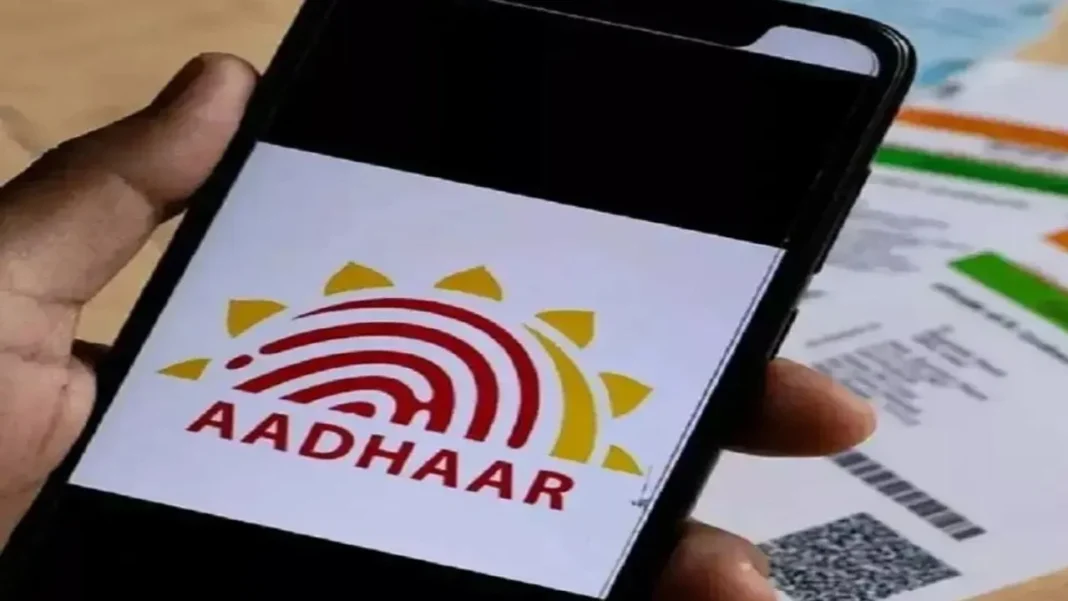

The mAadhaar app is heading towards retirement as UIDAI has started pushing users to the new Aadhaar app. For millions of Aadhaar holders, this is not just another app update. It changes how people carry, share, verify, and protect their Aadhaar details on mobile phones.
UIDAI’s official Aadhaar account on X has already posted that “mAadhaar will discontinue soon” and asked users to download the new Aadhaar app for faster access, smarter features, and services at fingertips. The new app is listed on Google Play, Apple App Store, and the official UIDAI website.
Why UIDAI Is Retiring mAadhaar?
The old mAadhaar app helped users carry a digital Aadhaar card, generate VID, download Aadhaar, and access basic Aadhaar services. But digital identity use has changed quickly. People now use Aadhaar for hotel check-ins, banking, telecom, travel, welfare benefits, and online verification.
That is why UIDAI is shifting towards a cleaner, safer Aadhaar app built around QR sharing, Face Authentication, biometric lock, update history, and consent-based verification. Instead of showing or sharing full Aadhaar details everywhere, the new app focuses on limited data sharing.
This is a key privacy upgrade. Users can avoid giving photocopies or screenshots wherever QR verification is accepted. UIDAI has also kept secure QR verification as an important part of offline Aadhaar checking. Its Secure QR Code Reader FAQ says Aadhaar QR codes can be used for identity verification in offline mode.
New Aadhaar App Features Users Should Check
The new Aadhaar app comes with the tagline “Show. Share. Verify.” On Google Play and App Store, UIDAI describes it as an app to share Aadhaar, verify credentials, authenticate with Aadhaar, manage updates, view history, lock biometrics, and access more services.
The biggest change is QR-based Aadhaar sharing. Users can scan or show a QR code instead of handing over an Aadhaar photocopy. This can help reduce misuse of printed copies, especially at hotels, offices, housing checks, service counters, and local verification points.
Face Authentication is another major addition. It gives users a smoother way to authenticate without depending only on OTP-based flows. This can help when a registered mobile number is active but the user wants a more secure login layer.
Biometric lock is also useful for safety. Users can lock biometrics when they are not using Aadhaar authentication and unlock them only when needed. The app also offers view history, which helps users track Aadhaar activity.
The app listing says more than 10 million users helped refine it before wider rollout. That makes this transition more than a fresh icon or design change. UIDAI is clearly moving Aadhaar towards mobile-first, QR-first, and consent-first identity sharing.
How To Download The New Aadhaar App Today?
Users should avoid random APK files, Telegram links, forwarded app links, or unofficial websites. The safest way is to download only from UIDAI’s official developer page or official app stores.
- First, Android users can open Google Play and search “Aadhaar UIDAI.” The correct app is named Aadhaar and is published by UIDAI. Users can also go directly to the Google Play Aadhaar app page.
- Second, iPhone users can open App Store and search “Aadhaar UIDAI.” The correct app is named Aadhaar and appears under UIDAI. Users can also use the Apple App Store Aadhaar app page.
- Third, users should install the app, open it, and complete Aadhaar setup through the required verification steps. Keep the Aadhaar-linked mobile number active because OTP or authentication may be needed during setup.
- Fourth, check the profile, biometric lock option, QR sharing option, update history, and authentication settings. Do not uninstall mAadhaar until the new Aadhaar app is fully set up and working properly on your phone.
Discover useful updates in minutes.
Need Aadhaar Without Internet Access?
Check out this quick offline verification guide.
Want Simpler Digital Document Storage?
Find easy ways to secure important records.
Need Aadhaar Download Options Explained?
Uncover simple methods for faster access.
Which e-KYC Schemes Matter Now?
Browse key schemes requiring quick action.
Curious About Startup Loan Benefits?
Explore eligibility and application essentials.
Step-By-Step Transition Checklist
Download the new Aadhaar app only from Google Play or App Store. Confirm that UIDAI is shown as the developer. Keep your Aadhaar-linked mobile number ready. Complete login and verification. Check your Aadhaar profile. Test QR sharing. Review biometric lock settings. Save UIDAI’s official website for future updates.
Also, do not share your Aadhaar number openly in WhatsApp groups, emails, forms, or social media inboxes. Use masked Aadhaar or QR-based verification wherever possible. For official Aadhaar services, use uidai.gov.in instead of third-party pages.
What Users Should Do Before mAadhaar Stops Working?
mAadhaar users should shift early instead of waiting for the final shutdown date. App changes often create rush, login errors, OTP delays, or confusion among family members. A calm transition today is safer than trying to move during an urgent bank, SIM, travel, or document verification need.
Families should also help senior citizens install the correct app. Many fake app links can look genuine, so checking the developer name is important. Users who manage Aadhaar for parents or children should test the app properly after setup.
The new Aadhaar app does not mean users should ignore basic safety. Never share OTPs, never install unknown APKs, never send Aadhaar screenshots casually, and never trust callers claiming to “update Aadhaar urgently.” UIDAI updates should be checked through official pages only.
The mAadhaar app discontinued by UIDAI update is an important digital identity shift. The new Aadhaar app gives users more control over sharing and verification. With QR security, Face Authentication, biometric lock, and official app-store access, Aadhaar is moving towards safer mobile use.
FAQs
1. Is mAadhaar App Discontinued By UIDAI?
UIDAI says mAadhaar will discontinue soon, so users should shift to the new Aadhaar app.
2. Where Can I Download New Aadhaar App?
Download it from Google Play, Apple App Store, or links shared on UIDAI’s official website.
3. Does New Aadhaar App Support QR Security?
Yes, the new Aadhaar app supports QR-based sharing and verification for safer identity checks.
4. Should I Delete mAadhaar Immediately?
No, first set up the new Aadhaar app successfully, then remove mAadhaar later.
5. Is New Aadhaar App Free To Use?
Yes, UIDAI’s new Aadhaar app is free on official Android and iOS stores.