

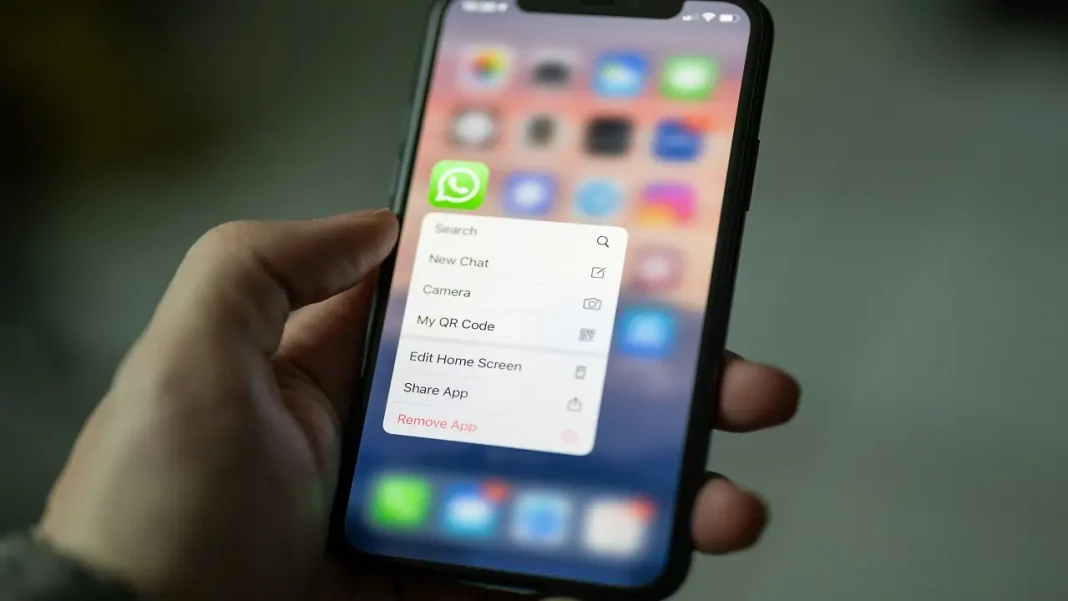

EPFO members can now request their provident fund balance through WhatsApp by sending “Hi” to +91 8796441800 and following the chatbot’s verification prompts. The service also offers recent transactions and passbook access.
Union Labour Minister Mansukh Mandaviya launched EPFO WhatsApp services on November 1, 2026, during the organisation’s Foundation Day celebrations. The Labour Ministry’s announcement confirms account-information services and assistance with Pradhan Mantri Viksit Bharat Rozgar Yojana requirements. It does not announce WhatsApp-based withdrawals.
Key Highlights
- The official WhatsApp service number is +91 8796441800.
- Members can check PF balance and their latest five transactions.
- Passbook access provides a fuller account record.
- Aadhaar-related services have separate requirements; a WhatsApp enquiry does not replace them.
How To Check PF Balance Through EPFO WhatsApp Services
Open WhatsApp and start a chat with the number above, or use the QR code published by EPFO. Verify the destination against official communication before entering any account information.
- Send “Hi” to begin the conversation.
- Select a language from the available choices.
- Choose the PF balance option from the service menu.
- Complete the identity-verification prompts in the verified service, including OTP verification if requested.
- Select the relevant PF account if prompted, then view the returned details.
Use the mobile number registered with your Universal Account Number, or UAN. The verification stage links the request to your account; sending a greeting alone does not provide access to private PF records. Menu wording may change as the service develops.
EPFO also marked the rollout in its official November 1 post on X.
Available Account Details And What Each Option Shows
The balance, transaction list, and passbook answer different questions. Start with the information you actually need rather than treating the three options as interchangeable.
| Service | What Members Can Access | Practical Use |
| PF balance | Recorded provident fund balance | A quick account check |
| Latest five transactions | Five most recent account entries | Reviewing recent account activity |
| Passbook | Contribution and other account entries | Examining a longer record |
| PMVBRY assistance | Guidance on scheme-related requirements | Identifying steps needed to complete those requirements |
The official launch release confirms these service categories. For example, someone checking an older contribution should look beyond a five-entry summary and review the passbook. A balance figure alone does not explain every credit or adjustment behind it.
“Latest five transactions” describes several entries, not five months of contributions. If the entry you want falls outside that short list, its absence from the summary does not establish that it is missing from the account.
Aadhaar Verification: Separate Processes Members Should Recognise
The launch release does not set out a detailed WhatsApp-specific Aadhaar authentication procedure. Follow the verified service’s prompts rather than instructions forwarded by an unknown contact.
For UAN generation and activation, EPFO’s member portal directs members to Aadhaar-based face authentication through UMANG. The official user instructions describe Aadhaar validation and use of the Aadhaar Face RD app. This is a separate process from opening a WhatsApp conversation.
Aadhaar verification also features in another November 1 announcement: automatic settlement of eligible inoperative EPF accounts holding up to ₹1,000. Prescribed identity and bank-account checks still apply. The ministry estimates that around one lakh accounts involving ₹5 crore could benefit. Those figures concern the settlement initiative, not WhatsApp users or a general withdrawal limit.
If Verification Fails Or The Chat Stops Responding
An unsuccessful chat does not establish anything about the money in your PF account. A November 3 report by Gadgets Now described OTP failures and incomplete verification during the writer’s test. That is a reported experience, not evidence of a service-wide outage.
- Confirm that you are using the mobile number registered with your UAN.
- Retry later if the chatbot fails to respond or complete verification.
- Use the official EPFO passbook portal if the WhatsApp route remains unavailable.
Keep verification codes within the official authentication process. Do not disclose them to a caller or someone claiming to provide personal assistance. EPFO’s passbook page warns against requests for personal information or payments.
For a missed-call enquiry, EPFO requires a mobile number activated with the UAN and at least one linked KYC record: a bank account, Aadhaar or PAN. Its missed-call instructions specify 9966044425 and state that the service costs members nothing. For an English SMS enquiry, the passbook page lists EPFOHO UAN ENG, sent to 7738299899.
For a balance enquiry, begin with the verified EPFO WhatsApp service. Keep the passbook portal available for a fuller account review or an alternative when chat verification fails.
FAQs
Can I withdraw PF through WhatsApp?
The announced features cover account information and guidance. The launch release does not confirm withdrawal filing or fund transfers through WhatsApp; use EPFO’s established claim channels.
Will EPFO ask for a deposit to check my balance?
EPFO warns that it does not contact members to demand monetary deposits. A caller asking for payment to release account information should not receive your money.
What if I cannot remember my UAN?
The EPFO member portal provides a “Know Your UAN” facility. Retrieve your account identifier through that official route rather than sharing identity documents with an unknown intermediary.
Is face authentication completed inside WhatsApp?
EPFO’s published UAN instructions place Aadhaar-based face authentication in UMANG, using the Aadhaar Face RD app. The WhatsApp launch announcement does not describe an equivalent in-chat process.
How can I check PF balance without WhatsApp?
EPFO’s passbook page lists a missed call to 9966044425 or an SMS to 7738299899 for balance enquiries. Eligibility and registered-mobile requirements apply to these alternative services.
More EPFO Updates You Shouldn’t Miss!
Has Your EPFO Interest Been Credited?
Check out how to verify your EPFO interest credit and PF balance.
Can Form 121 Prevent PF TDS?
Find out how EPFO Form 121 relates to PF withdrawals without TDS.
Will ₹25,000 Change Your PF Contributions?
See how the ₹25,000 EPF wage ceiling could affect employee contributions.
Who Can Claim ₹15,000 EPFO Incentives?
Explore eligibility details for the ₹15,000 employment incentive scheme.
Could EPFO 3.0 Speed Up Withdrawals?
Discover EPFO 3.0 instant withdrawal updates and the importance of linking your UAN.