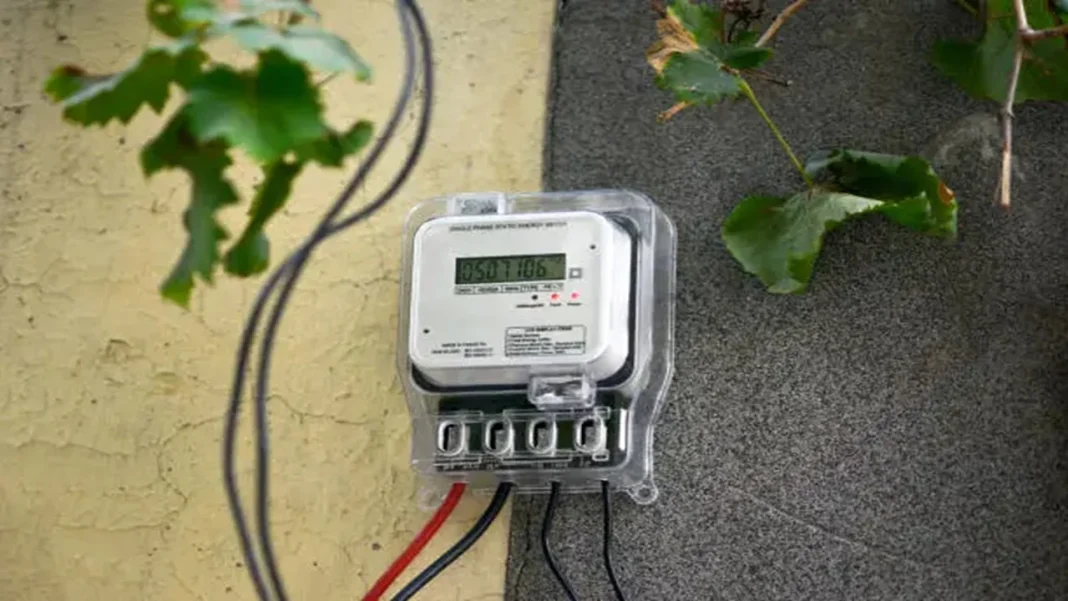

Smart meter bills are now a hot topic for many electricity consumers, especially after reports of app glitches, prepaid balance confusion, and high bill complaints. The good part is simple: your smart meter app can also become your strongest proof.
Most official smart meter apps allow users to view daily, weekly, and monthly consumption, bill details, recharge history, and complaint options. For example, UPPCL’s official smart app listing says users can check daily, weekly, and monthly usage, while PVVNL’s official app lists daily consumption, monthly consumption, bill downloads, and complaint features.
Why Smart Meter Bills Are Trending Now
Smart meters are being pushed under India’s Revamped Distribution Sector Scheme, and the Ministry of Power has said consumer awareness campaigns, app usage guidance, helpline details, and check meters are part of the rollout. PIB also reported that many consumers using smart meter mobile apps were aware of real-time consumption and recharge or bill payment features.
At the same time, complaints have made headlines. In Uttar Pradesh, reports said lakhs of users could not view outstanding bills due to a technical fault in the UPPCL Smart App or portal. Another recent report said UP moved smart prepaid consumers to postpaid mode after consumer grievances.
Official UPPCL post reminds consumers to verify electricity bill details before payment, which directly supports the need to check smart meter consumption and billing data carefully.
Step 1: Check Daily Consumption In The Official App
Open only your official discom smart meter app. Avoid random APK links, WhatsApp payment links, or unknown “electricity officer” calls. Log in with your consumer number and registered mobile number. Then go to Usage, Consumption, Energy Usage, or Daily Consumption.
Now check three things: yesterday’s units, last seven days’ units, and the date when the bill jumped. If one day shows unusually high units, note whether you used heavy appliances that day, such as AC, geyser, heater, motor pump, oven, or welding machine.
Take screenshots of daily consumption, bill amount, meter number, and payment history. These screenshots help when filing a complaint.
Step 2: Match App Units With Meter And Old Bills
A high bill is not always a faulty meter. It can also happen due to delayed billing, tariff slab change, old arrears, wrong load entry, average billing reversal, or app syncing delay.
Compare your current smart meter units with the previous month’s bill. Then compare the app’s daily consumption total with the billed units. If your app shows 210 units for the billing period but the bill shows 390 units, that gap needs checking.
Quick Home Test Before Complaint
Switch off heavy appliances for 30 minutes and check whether the meter pulse still rises fast. Do not open or touch meter wiring. Just record a short video showing appliances off, meter number, and reading movement.
Step 3: Dispute Wrong Bill With Proof
File the first complaint through your discom app, website, local electricity office, or helpline. Mention consumer number, meter number, bill month, disputed units, screenshots, and payment proof. Ask for bill revision, meter data download, and check meter testing.
If the reply is poor, escalate through the National Consumer Helpline or your state electricity grievance forum. The Department of Consumer Affairs describes NCH as a single access point for consumer grievance redressal at the pre-litigation stage.
Top updates you shouldn’t miss today.
New Delhi Train Timings Revealed?
Check out the latest fare and timing details now.
Which Bank Gives Better Savings?
Find out which bank offers better returns in 2026.
How To Get Guaranteed Loan?
Uncover the simple steps for zero-collateral business funding.
Is Fitbit Air Tracker Worth Buying?
Explore its AI tools, battery life, and pricing details.
What Happens After Hantavirus Infection?
Learn the symptoms, risks, and prevention tips quickly.
Final Word For Consumers
Do not panic after one high smart meter bill. First check daily consumption, compare units with past bills, save screenshots, and file a written complaint. A clear complaint with app proof, meter photo, and bill copy has a better chance than a phone call alone.
FAQs
1. Can A Smart Meter Show Wrong Consumption?
Yes, errors can happen due to faults, syncing delays, or billing data issues.
2. Where Can I Check Daily Consumption?
Open your official smart meter app and check the Daily Consumption or Usage section.
3. What Proof Should I Save?
Save screenshots of usage, bill, meter number, payment history, and complaint number.
4. Can I Dispute A Smart Meter Bill?
Yes, file a written complaint with your discom and request bill verification.
5. Should I Pay A Disputed Bill?
Pay only after checking rules, due date, and discom advice to avoid disconnection.